Ping monitoring
Ping monitoring for servers, routers and devices
Ping monitoring sends ICMP echo requests to a hostname or IP address on a schedule and alerts you when the host stops replying. MoniterMySite pings from up to five regions, records round-trip latency and packet loss on every check, and only opens an incident once your fail threshold and region confirmation rules are met.
- Three ICMP echo requests per check, with the average round-trip time and packet-loss percentage recorded
- Checks from New York, San Francisco, Frankfurt, Singapore and Sydney, each with a published IP address you can allowlist
- Intervals from 10 seconds to 1 hour, a fail threshold of 1–10 per region and multi-region confirmation before anyone is paged
How it works
Add a Ping monitor
Choose Ping as the monitor type and enter a hostname or IP address, for example 1.1.1.1 or gateway.example.com. Run a test check to see the reply before you save.
Pick regions and interval
Select which of the five regions should ping the host and how often, from every 10 seconds to every hour depending on your plan. Checks rotate between the selected regions so consecutive checks come from different places.
Set thresholds
Choose the fail threshold (consecutive failures from one region before it counts as down) and how many regions must agree before an incident opens. The defaults of two failures and one region suit most hosts.
Get alerted and watch recovery
When the host stops answering, an incident opens and every attached contact is told which regions observed it. Down hosts are re-checked every 60 seconds regardless of interval, and recovery is declared when every region can reach the host again.
What you get
Latency on every check
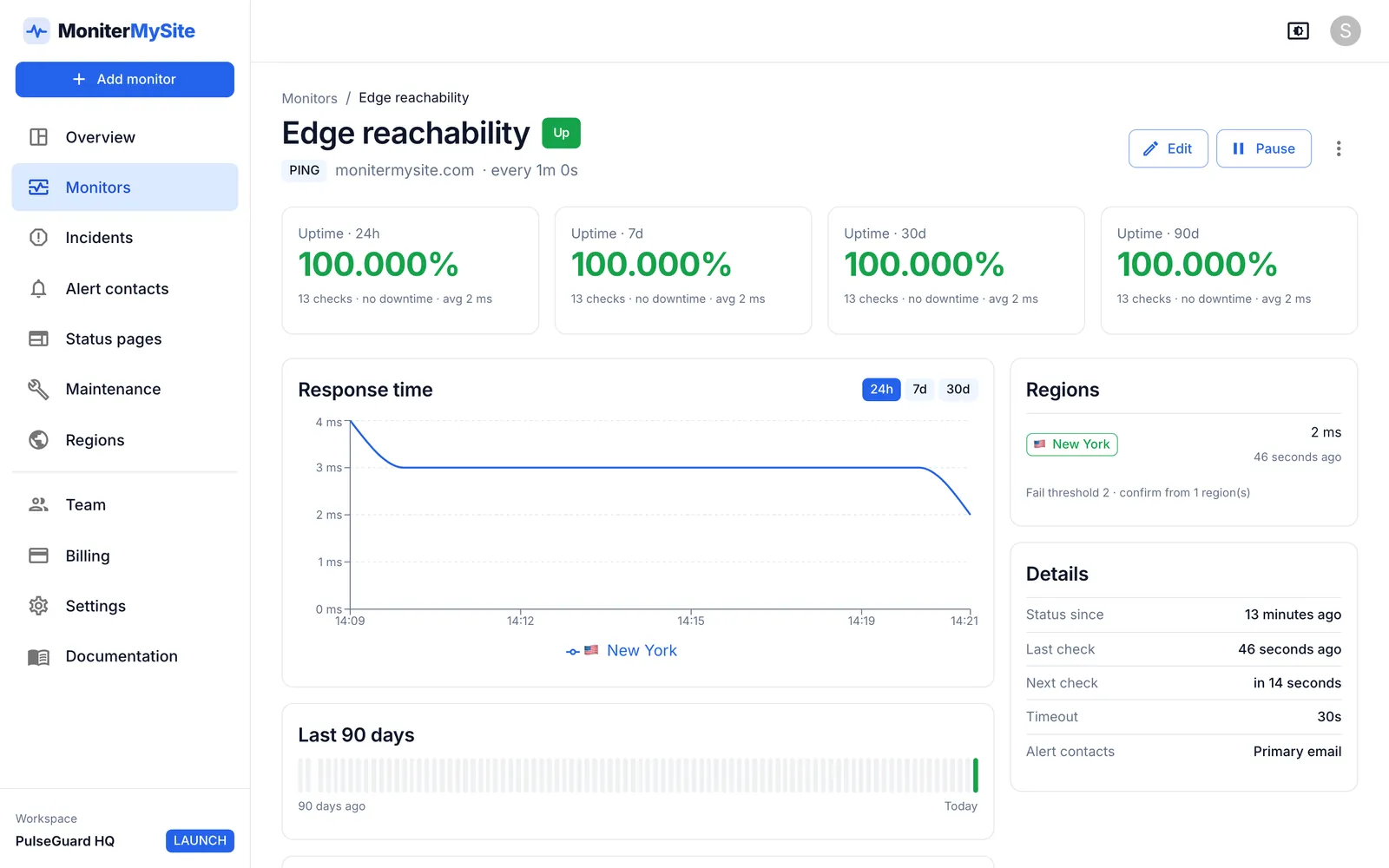
Each check records the average round-trip time of its three echo requests, so the check history shows latency trends per region, not only up or down.
Packet-loss detection
The packet-loss percentage from each check is stored with the result. A host is marked unreachable when no reply comes back at all; partial loss is visible in the check details.
Five regions, four continents
Ping from any combination of New York, San Francisco, Frankfurt, Singapore and Sydney (regions per monitor depend on your plan). Every check, incident and alert records where it was observed from.
No false alarms from one bad link
A configurable fail threshold per region and confirmation across regions mean a single location losing connectivity never pages you on its own.
Alerts where your team works
Email, webhooks, Slack, Discord, Microsoft Teams, Google Chat, Telegram and PagerDuty, with a down-only option for paging channels that should not be woken for recoveries.
What ping monitoring tells you, and what it does not
ICMP ping is the lowest-cost way to answer one question: can this host be reached from the internet right now? It works for anything with an IP address, including servers that run no web service, routers, firewalls, VPN gateways, office connections and devices. Because every check also records round-trip time, a ping monitor doubles as a simple latency monitor that shows when a route has degraded even though the host still answers.
What it does not tell you is whether the application on that host is working. A web server can be pingable while returning errors, and a database host can answer ICMP while refusing connections. Pair a ping monitor with an HTTP monitor for websites and APIs, a port monitor for services such as SMTP or PostgreSQL, and a DNS monitor if you want to catch record changes.
Some hosts block ICMP entirely. If yours does, use a port monitor against an open port instead, or allow our monitoring addresses as described below.
Allowlisting our monitoring IPs
Firewalls and cloud security groups that drop ICMP from unknown sources will show a host as down even when it is healthy. Our checks come from one stable public IP address per region, published on the allowlisting page in the docs. New locations are announced at least 14 days before they go live.
Allow ICMP echo requests from those five addresses and the ping monitor will work without opening anything else.
| Region | Location |
|---|---|
| nyc3 | New York, United States |
| sfo3 | San Francisco, United States |
| fra1 | Frankfurt, Germany |
| sgp1 | Singapore |
| syd1 | Sydney, Australia |
Plans and limits
Ping monitors are available on every plan, including the free Starter plan. The differences are how many monitors you can create, how often they run, from how many regions, and how long raw check history is kept.
Multi-region confirmation needs at least two regions on a monitor, so in practice it is a Launch, Growth or Summit feature. Every plan includes unlimited team members.
- Critical production hosts: 10 to 30 second interval, fail threshold 2, confirmation 2 across three regions.
- Office links and internal gateways: 5 minute interval, threshold 2, one region close to the host.
| Plan | Price per month | Monitors | Fastest check | Regions per monitor | History |
|---|---|---|---|---|---|
| Starter | Free | 10 | 5 minutes | 1 | 30 days |
| Launch | $9 ($7.50 billed yearly) | 100 | 60 seconds | Up to 3 | 6 months |
| Growth | $29 ($24 billed yearly) | 200 | 30 seconds | All 5 | 12 months |
| Summit | $79 ($65 billed yearly) | 1,000 | 10 seconds | All 5 | 24 months |
Frequently asked questions
What is ping monitoring?
Ping monitoring repeatedly sends ICMP echo requests to a host and alerts you when replies stop arriving. It confirms network reachability and measures round-trip latency, which makes it suitable for servers, routers, firewalls and any device with an IP address, including ones that run no web service.
How does MoniterMySite decide a host is down?
Each check sends three echo requests. If none is answered, that check fails. A region is considered down after the fail threshold you set (1–10 consecutive failures, default 2), and an incident opens once the number of regions you require have agreed. Down hosts are then re-checked every 60 seconds until they recover.
Does ping monitoring detect packet loss?
Yes. Every check records the packet-loss percentage along with the average round-trip time. A check only counts as failed when all three echo requests are lost, so partial loss shows up in the check details and latency history rather than as an outage.
My host is up but the ping monitor says down. Why?
The most common cause is a firewall or security group that drops ICMP from unknown addresses. Allow our published monitoring IPs, or switch to a port monitor on a port that is open. Also check the timeout: ping checks wait at most 30 seconds for a reply.
Is ping monitoring free?
Yes. The Starter plan is free and includes 10 monitors of any type, checked every 5 minutes from one region, with email and webhook alerts and 30 days of check history.
Keep reading
Start monitoring in 30 seconds.
Nothing to install. No credit card. 10 monitors free, forever.