Keyword monitoring
Keyword monitoring for pages that return 200 but are broken
Keyword monitoring fetches a URL on a schedule and checks whether a word or phrase appears in the response body. MoniterMySite alerts you when expected text disappears or unwanted text such as an error message appears, catching pages that return HTTP 200 but show a broken checkout, an empty catalogue or a maintenance notice.
- Two conditions: alert when text that must be present is missing, or when text that must be absent appears
- Case-insensitive match against the raw HTML, combined with status-code validation and an optional slow-response threshold
- Full HTTP options: any method, custom headers, request body, basic or bearer auth and redirect following
How it works
Add a Keyword monitor
Choose Keyword, paste the URL (it must start with http:// or https://) and enter the word or phrase to look for, up to 500 characters. Choose whether the text must be present or absent.
Set request options if needed
Keyword monitors use the same request settings as HTTP monitors: method, headers, body, basic or bearer auth, redirect following and expected status codes. Run a test check before saving.
Pick regions, interval and thresholds
Select the regions and interval, then set the fail threshold and how many regions must agree before an incident opens.
Get alerted with the reason
A failing check records what happened: an unexpected status code, the keyword not found, or the keyword found when it should be absent. Alerts carry that reason, the regions involved and a link to the incident.
What you get
Present or absent
Contains alerts when expected text such as “Add to basket” goes missing. Does not contain alerts when text such as “Internal Server Error”, “Out of stock” or “We will be back soon” appears.
Status code first, then content
The response status is checked against your expected codes (200-299 by default) before the body is searched, so a 500 error and a missing keyword are both caught and reported with different reasons.
Case-insensitive, exact phrase
Matching ignores letter case but is otherwise exact: “checkout” matches “Checkout” and “CHECKOUT” but not “check out”.
Slow-response alerts
Set a response-time threshold to be told when the keyword is present but the page is slower than it should be. You get one alert when the threshold is first crossed, not on every slow check.
Multi-region confirmation
Check from up to five regions, with a fail threshold per region and a configurable number of regions that must agree before anyone is paged.
Why a 200 response is not enough
Many outages never produce an HTTP error. An application framework catches an exception and renders a friendly error page with status 200. A content management system switches into maintenance mode and serves a “back soon” page that is, technically, a successful response. A product listing renders with zero products because the search service behind it failed.
A plain HTTP monitor sees a 200 and reports the site as up in every one of these cases. A keyword monitor looks at what the page actually says. Choose text that only appears when the page is genuinely working, such as a price rendered from live data, and you will be alerted when it disappears; or choose text that should never appear, such as a stack trace heading, and be alerted when it does.
What a keyword check can and cannot see
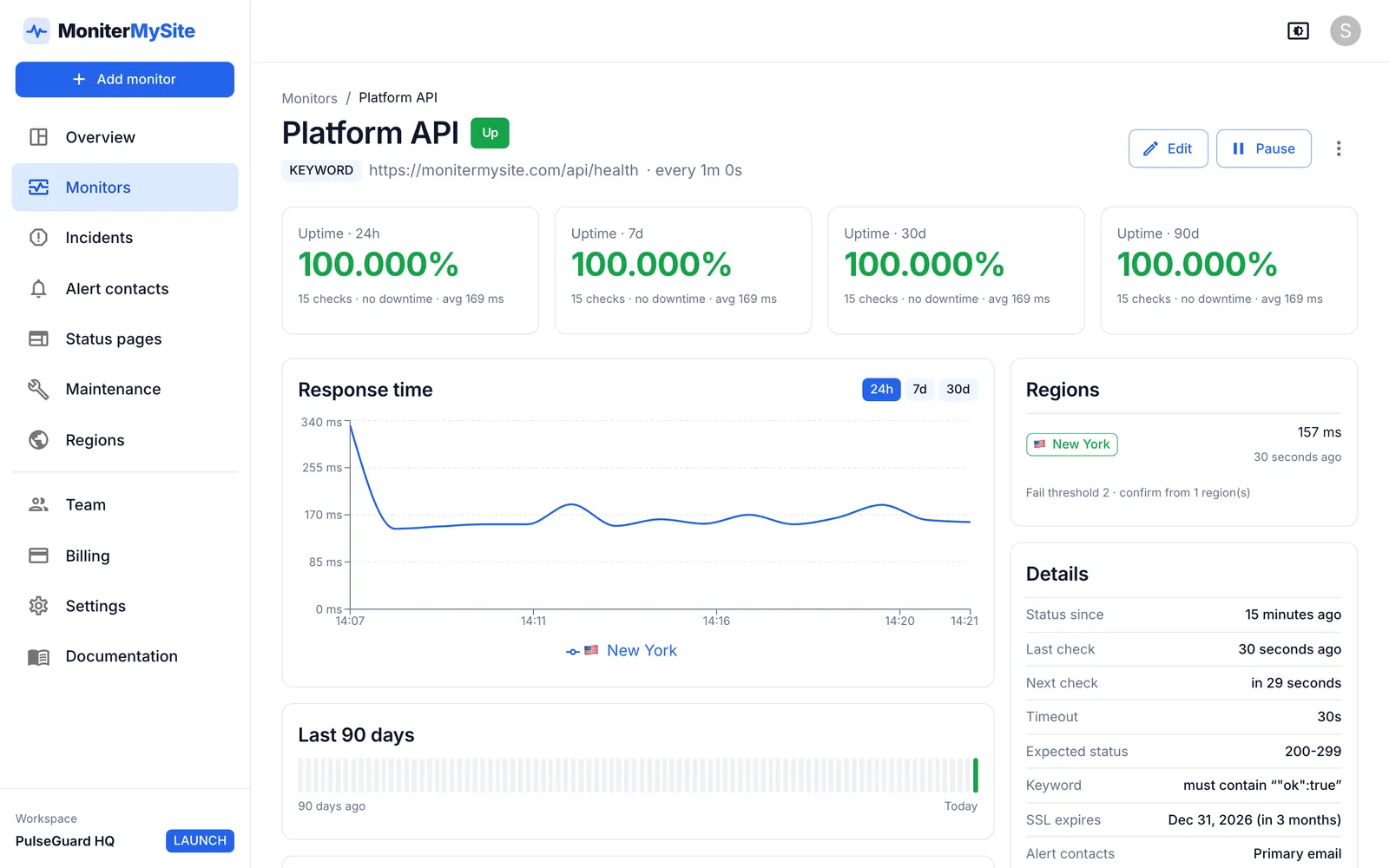
The check searches the raw response body as the server sends it, not the page after JavaScript has run in a browser. For server-rendered pages that is the full HTML. For single-page applications whose HTML is an empty shell filled in by JavaScript, pick a keyword that is in the initial response, such as the page title, or monitor the API the application calls instead. API responses are plain text too, so a keyword monitor works just as well on JSON: look for a fragment such as "status":"ok".
Redirects are followed up to five hops when redirect following is on. Pages behind HTTP basic or bearer authentication are supported through the monitor's auth settings; pages that require a browser session or cookie-based form login are not. Bodies larger than 2 MB are truncated, so put the keyword in the first part of a very large page.
Choosing a good keyword
A keyword monitor is only as useful as the phrase you give it.
- Prefer text that depends on the system you care about, such as a price or a count pulled from the database, rather than static boilerplate.
- Avoid text that also appears in your error or maintenance pages, such as the company name.
- For “must be absent” checks, use the exact wording of your framework's error page or your CMS maintenance notice.
- Use the test check before saving to confirm the keyword is found (or not found) in the raw HTML.
Plans and limits
Keyword monitors are available on every plan, including the free Starter plan. Plans differ in monitor count, fastest interval, regions per monitor and how long raw check history is kept.
| Plan | Price per month | Monitors | Fastest check | Regions per monitor | History |
|---|---|---|---|---|---|
| Starter | Free | 10 | 5 minutes | 1 | 30 days |
| Launch | $9 ($7.50 billed yearly) | 100 | 60 seconds | Up to 3 | 6 months |
| Growth | $29 ($24 billed yearly) | 200 | 30 seconds | All 5 | 12 months |
| Summit | $79 ($65 billed yearly) | 1,000 | 10 seconds | All 5 | 24 months |
Frequently asked questions
What is keyword monitoring?
Keyword monitoring is an HTTP check that also inspects the response body for a specific word or phrase. The monitor fails if required text is missing or forbidden text is present, which catches pages that return a successful status code but show broken or incorrect content.
What is the difference between HTTP monitoring and keyword monitoring?
An HTTP monitor passes when the status code matches your expected codes. A keyword monitor does the same status check and then also requires the body to contain (or not contain) your phrase, which catches pages that are broken while still returning 200.
Is the keyword match case-sensitive?
No. Matching is case-insensitive but otherwise exact, so the phrase must appear with the same spacing and punctuation.
Does keyword monitoring work on JavaScript-rendered pages?
Only on what the server sends. The check reads the raw HTML and does not execute JavaScript, so text that is injected by a script after load will not be found. Choose text present in the initial HTML, or monitor the API that provides the data.
Can I use keyword monitoring on an API that returns JSON?
Yes. The body is searched as text, so a fragment such as "healthy":true or a specific value works. You can also set the method, headers, body and basic or bearer auth for the request.
Keep reading
Start monitoring in 30 seconds.
Nothing to install. No credit card. 10 monitors free, forever.