DNS monitoring
DNS monitoring that catches changed or hijacked records
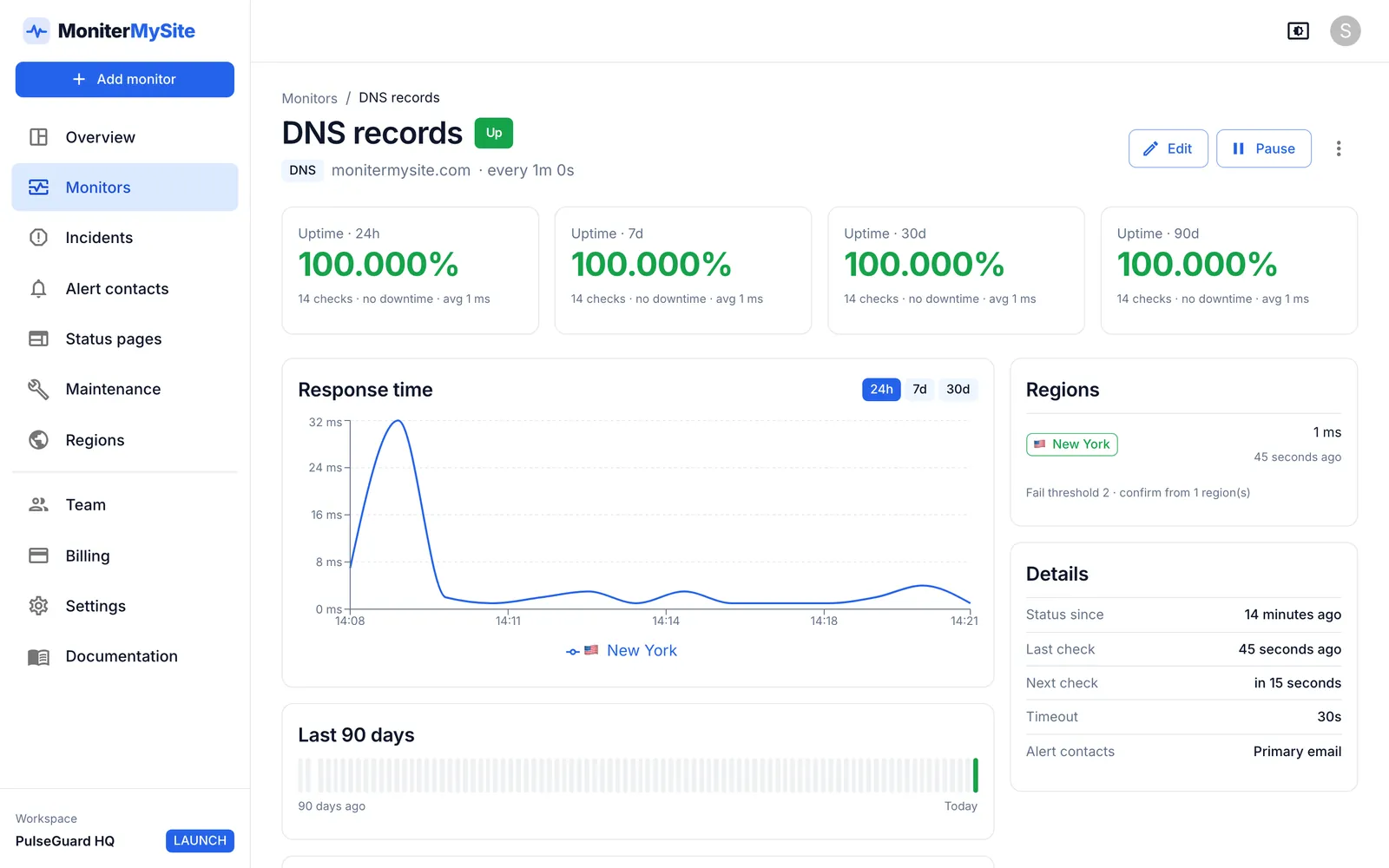
DNS monitoring resolves a hostname's records on a schedule and alerts you when the answer is missing or differs from what you expect. MoniterMySite queries A, AAAA, CNAME, MX, NS and TXT records from up to five regions, compares each answer with the values you enter, and opens an incident when an expected value disappears.
- Six record types: A, AAAA, CNAME, MX, NS and TXT, with optional expected values for each monitor
- Resolved from New York, San Francisco, Frankfurt, Singapore and Sydney, with the answer recorded per check
- Alerts when a record returns nothing or an expected value goes missing, the signature of a hijack or a bad change
How it works
Choose the hostname and record type
Add a DNS monitor, enter the name to resolve and pick A, AAAA, CNAME, MX, NS or TXT. Each record type is its own monitor.
Enter the values you expect
Optionally list the values that must be present, separated by commas or new lines: IP addresses, a CNAME target, mail exchangers, nameservers or TXT strings. Comparison ignores case and trailing dots.
We resolve from your chosen regions
Each check resolves the record from one of the selected regions, rotating between them. The answer and the lookup time are recorded with the check so you can see what each region saw.
Alerts on missing or absent records
If the lookup returns no records, or any expected value is not in the answer, the check fails. Once your fail threshold and confirmation are met, an incident opens and your contacts are alerted with the values returned.
What you get
A and AAAA
Confirm that the hostname resolves to the IPv4 and IPv6 addresses you deployed; an unexpected address is the clearest sign of a hijack or a mistaken edit.
CNAME
Verify that an alias such as www or status still points at the right target, for example a CDN or a status page host.
MX
Mail exchangers are compared by hostname after sorting by priority, so you are told when mail would be routed to a server you do not recognise.
NS
Watch the delegation itself. If the nameservers for your zone change, every other record becomes suspect.
TXT
Watch SPF, DKIM, DMARC and domain verification strings that mail providers and third-party services depend on. A missing string fails the check.
Region, threshold and confirmation
DNS monitors use the same fail threshold and multi-region confirmation as every other type, so a resolver hiccup in one region does not page you.
Why DNS deserves its own monitor
DNS sits in front of everything else and fails in ways an HTTP check hides. A website monitor follows the current A record and happily reports 200 from whatever server it now points at, including one you do not control. Mail records can change without touching the website. Nameserver delegation can be altered at the registrar by a compromised account, and the first your team hears of it is a customer asking why the login page looks different.
Checking the records against the values you know to be correct turns those silent changes into incidents. It also catches ordinary mistakes: the TXT record removed during a cleanup that broke SPF, the CNAME never updated after a CDN migration, or the zone that simply stopped answering.
Record types and expected values
Expected values are optional. Without them the monitor fails only when a lookup returns no records at all; with them it also fails when any listed value is missing from the answer. Extra values in the answer do not cause a failure, so a hostname with several A records can be monitored for the ones that matter.
| Record | Typical use | Example expected values |
|---|---|---|
| A | IPv4 address of a host | 203.0.113.10, 203.0.113.11 |
| AAAA | IPv6 address of a host | 2001:db8::10 |
| CNAME | Alias to another hostname | cdn.example.net |
| MX | Mail exchangers, compared by hostname | mx1.example.com, mx2.example.com |
| NS | Nameservers delegated for the zone | ns1.example-dns.com, ns2.example-dns.com |
| TXT | SPF, DKIM, DMARC and verification strings | v=spf1 include:_spf.example.com -all |
Catching hijacks and accidental changes
A DNS hijack rarely announces itself: the attacker changes an A record or the NS delegation and leaves everything else working. The earliest signal is simply that the answer no longer contains the value you deployed. An A monitor with your real addresses, an NS monitor with your real nameservers and an MX monitor with your real mail hosts cover the changes that matter most, and each alerts as soon as its expected value is absent.
How quickly you find out depends on the interval: every 10 seconds on Summit, every 5 minutes on the free Starter plan. Combine the DNS monitor with a Keyword monitor that looks for text only your real page contains, and a redirected visitor is caught from two directions at once.
Plans and limits
DNS monitors count as ordinary monitors. Regions per monitor and the fastest interval are what change between plans.
| Plan | Price per month | Monitors | Fastest check | Regions per monitor |
|---|---|---|---|---|
| Starter | Free | 10 | 5 minutes | 1 |
| Launch | $9 ($7.50 yearly) | 100 | 60 seconds | Up to 3 |
| Growth | $29 ($24 yearly) | 200 | 30 seconds | All 5 |
| Summit | $79 ($65 yearly) | 1,000 | 10 seconds | All 5 |
Frequently asked questions
Does DNS monitoring alert on any change, or only when expected values are missing?
It alerts when a lookup returns no records, and, if you have listed expected values, when any of them is missing from the answer. Additional values in the answer do not fail the check. List every value you expect, and a replacement shows up as a missing one.
Can I monitor several values for the same record?
Yes. Separate them with commas or new lines. Each one must be present in the answer for the check to pass. Comparison is case-insensitive and ignores a trailing dot.
How quickly will I know about a DNS hijack?
Within one check interval plus confirmation. Intervals go down to 10 seconds on Summit, 30 on Growth, 60 on Launch and 5 minutes on Starter; confirmation adds the consecutive failures and regions you require.
Does it check from more than one location?
Yes, from any combination of New York, San Francisco, Frankfurt, Singapore and Sydney that your plan allows: one region on Starter, up to three on Launch and all five on Growth and Summit. Each check records the region and the values it received.
Can I monitor SPF, DKIM or DMARC records?
Yes. Create a TXT monitor for the relevant name, for example example.com for SPF or _dmarc.example.com for DMARC, and enter the string you expect. If the string disappears, the check fails.
Keep reading
Start monitoring in 30 seconds.
Nothing to install. No credit card. 10 monitors free, forever.