Port monitoring
TCP port monitoring for any service on any port
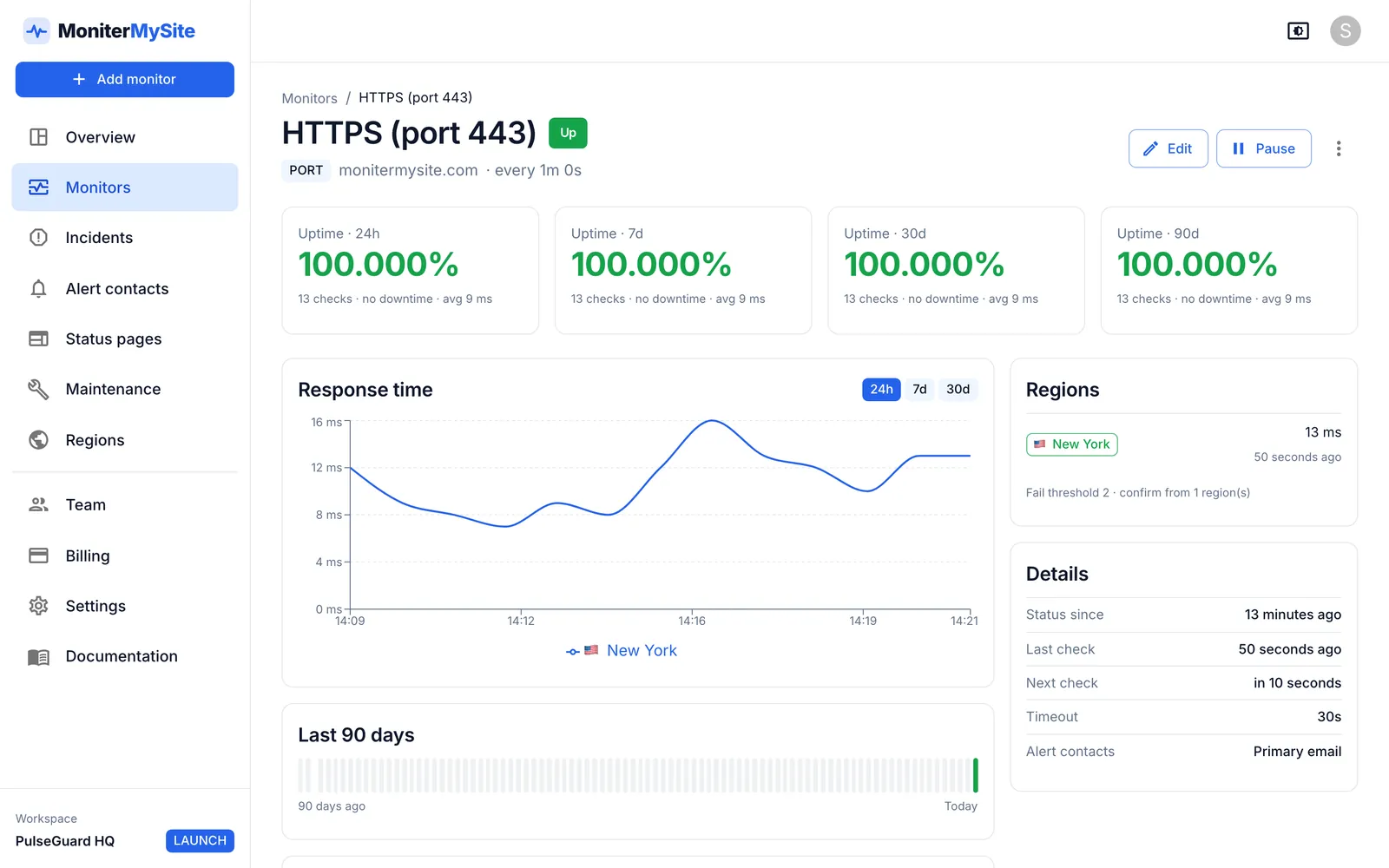
Port monitoring opens a TCP connection to a host and port on a schedule and alerts you when the connection is refused or times out. MoniterMySite checks any port from 1 to 65535 from up to five regions, records connection time on every check and confirms an outage across regions before opening an incident.
- Any TCP port from 1 to 65535: SMTP on 25 or 587, IMAP on 993, PostgreSQL on 5432, MySQL on 3306, Redis on 6379, SSH on 22 or your own
- Connection time recorded per check and per region, with a configurable timeout from 1 to 60 seconds
- Checks every 10 seconds to every hour from New York, San Francisco, Frankfurt, Singapore and Sydney
How it works
Add a Port monitor
Choose Port, enter the hostname or IP address (for example mail.example.com) and the port number. Run a test check to confirm the connection succeeds before you save.
Choose regions and interval
Pick the regions that should connect and how often. Checks rotate round-robin between the regions you select.
Set timeout and thresholds
A connection that is not established within the timeout counts as failed. Set the fail threshold per region (1–10 consecutive failures) and how many regions must agree before an incident opens.
Alert and recover
Attach alert contacts. On a confirmed failure your team is told which regions could not connect and the error that was returned. Recovery is declared when every region connects again.
What you get
Mail servers
Watch SMTP on 25, 465 or 587 and IMAP or POP3 on 993, 143, 995 or 110, so you know mail is being accepted before customers notice bounces.
Databases and caches
PostgreSQL, MySQL, Redis, MongoDB and anything else that listens on TCP. The check confirms the port accepts connections without logging in.
Connection-time history
Every check records how long the TCP handshake took, so you can see when a service becomes slow to accept connections, not only when it refuses them.
Error detail in every alert
Alerts say whether the connection was refused or timed out and which regions saw it.
Confirmation across regions
A fail threshold of 1–10 per region and a configurable number of regions that must agree. One location with a bad route never pages you on its own.
What a port check does
A port monitor performs a TCP connect to the host and port you specify. If the handshake completes, the check passes and the connection is closed immediately; nothing is sent to the service. If the host refuses the connection, the port is filtered, the name does not resolve or the timeout elapses, the check fails with that reason recorded.
This makes port monitoring the right tool for services that are not HTTP. A website monitor cannot tell you whether your SMTP relay is accepting mail or whether PostgreSQL is listening after a failover. A ping monitor cannot either, because a host can answer ICMP while the service on it has crashed. A port check looks at exactly the thing your clients depend on: the listening socket.
A successful connect proves only that the service is accepting connections, not that it is healthy. For HTTP services use an HTTP or keyword monitor, which validate status codes and content. For TLS certificates on mail or database ports, an SSL certificate monitor accepts a hostname with a port, such as mail.example.com:993.
Common ports to monitor
Port numbers are whatever your service listens on; these are the conventional defaults.
| Service | Default port(s) | What a failed check usually means |
|---|---|---|
| SMTP | 25, 465, 587 | Mail is not being accepted for delivery |
| IMAP / POP3 | 993, 143 / 995, 110 | Users cannot fetch mail |
| PostgreSQL | 5432 | Database not listening after a restart or failover |
| MySQL / MariaDB | 3306 | Database down or connections exhausted |
| Redis | 6379 | Cache or queue unavailable |
| SSH | 22 | Server unreachable for administration |
| Custom | Any from 1 to 65535 | Game servers, brokers, internal APIs |
Firewalls and allowlisting
If a firewall or security group limits which addresses may connect to the port, allow our five monitoring locations. Each region has one stable public IP address, listed on the allowlisting page in the docs, and new locations are announced at least 14 days before they go live. If you would rather not expose a database port to the internet at all, a heartbeat monitor pinged by a job inside your network is the alternative.
Plans and limits
Port monitors are available on every plan, including the free Starter plan. Plans differ in monitor count, fastest interval, regions per monitor and how long raw check history is kept. Every plan includes unlimited team members.
| Plan | Price per month | Monitors | Fastest check | Regions per monitor | History |
|---|---|---|---|---|---|
| Starter | Free | 10 | 5 minutes | 1 | 30 days |
| Launch | $9 ($7.50 billed yearly) | 100 | 60 seconds | Up to 3 | 6 months |
| Growth | $29 ($24 billed yearly) | 200 | 30 seconds | All 5 | 12 months |
| Summit | $79 ($65 billed yearly) | 1,000 | 10 seconds | All 5 | 24 months |
Frequently asked questions
What is a TCP port monitor?
A TCP port monitor connects to a specific port on a host at a regular interval and alerts you when the connection cannot be established. It confirms that a service such as a mail server, database or game server is accepting connections, independently of whether the host answers ping or serves a website.
Which ports can I monitor?
Any TCP port from 1 to 65535. UDP services are not supported by a port check because UDP has no connection handshake to confirm; use a ping monitor for host reachability in that case.
Does the check log in to my database or mail server?
No. The check only completes the TCP handshake and then closes the connection. No credentials are sent and no commands are issued, so the only trace in your logs is a connection that was opened and closed.
How quickly will I know a port is down?
It depends on your interval, fail threshold and confirmation settings. With a 30-second interval and a threshold of 2, a failure is confirmed within about a minute. Once a monitor is down it is re-checked every 60 seconds regardless of interval, so recovery is noticed quickly too.
Why does my port monitor fail when the service works?
Usually a firewall is dropping connections from our monitoring addresses; allow the IPs listed in the docs. Otherwise check that the hostname resolves, the port number is right and the timeout is long enough.
Can I check a port from a specific region only?
Yes. Select any set of regions per monitor. Starter checks from one region, Launch from up to three and Growth and Summit from all five.
Keep reading
Start monitoring in 30 seconds.
Nothing to install. No credit card. 10 monitors free, forever.